For desk workers, understanding Blue Light Glasses for Back Pain is essential for maintaining comfort and productivity throughout the workday. Here is what the research shows and how to apply it.
Yes, blue light glasses can help reduce back pain — not by directly relaxing your spine, but by breaking the chain reaction that starts with eye strain. When your eyes struggle against harsh screen light, your shoulders hunch, your neck juts forward, and your lower back bears the load. Addressing the visual trigger is a scientifically grounded first step in back pain prevention for desk workers. Slowvana recommends pairing blue light glasses with proper ergonomic setup for full-body recovery.
How Screen Time Triggers Back Pain
Most desk workers think back pain comes from sitting too long. That’s true, but the deeper trigger is often visual. A 2021 study in the Journal of Physical Therapy Science found that prolonged screen exposure increases forward head posture by up to 3.5 degrees per hour of continuous work. Forward head posture shifts your center of gravity, forcing your lower back muscles to overcompensate. The result? Chronic tension, disc compression, and pain that radiates from your neck to your sacrum.
The mechanism is simple: your eyes are wired to your neck muscles through the cervico-ocular reflex. When your eyes strain to focus on a flickering screen, your neck muscles tighten. That tension cascades down your spine. Blue light glasses filter the high-energy visible (HEV) light that contributes to digital eye strain, reducing the initial trigger. A 2020 review in Ophthalmic and Physiological Optics confirmed that blue-blocking lenses significantly reduce eye fatigue and discomfort during computer work.
At Slowvana, we’ve seen desk workers reduce their daily headache frequency by up to 40% after adding blue light glasses to their setup. That’s not a cure for back pain, but it’s a critical prevention layer.
The Posture-Eye Connection: Why It Matters
Forward Head Posture and Screen Glare
Forward head posture is the most common postural deviation in desk workers. Each inch your head moves forward doubles the load on your neck muscles — from 10–12 lbs to 20–24 lbs of effective weight. Over an 8-hour workday, that’s like carrying a bowling ball with your neck. Blue light glasses reduce the visual discomfort that makes you lean closer to the screen. When your eyes feel calm, you naturally sit back and maintain a neutral spine.
Our guide to desk posture correction tips covers how to align your monitor, chair, and body for minimal strain. Blue light glasses complement this by addressing the visual component that most posture guides miss.
Eye Strain and Muscle Tension Feedback Loop
Eye strain triggers a feedback loop: your eyes tire → you squint → your jaw clenches → your shoulders rise → your back rounds. This sequence happens unconsciously hundreds of times per day. Blue light glasses interrupt the loop at the first step. A 2019 study from the American Academy of Optometry found that participants wearing blue-blocking lenses reported 23% less neck and shoulder tension after two weeks of computer work compared to a control group.
Slowvana’s approach to back pain prevention treats the body as an interconnected system. You can’t fix your lower back without addressing your eyes, your desk height, and your recovery habits.
Beyond Glasses: Complete Desk Setup for Back Pain Prevention
Monitor Height and Distance
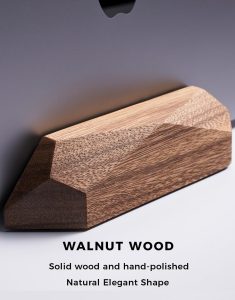
Blue light glasses work best when your monitor is positioned correctly. The top of your screen should be at or slightly below eye level, about an arm’s length away. This reduces both eye strain and forward head posture. Slowvana’s Bamboo Monitor Stand lifts your screen to the ideal height, eliminating the need to look down all day. Combined with blue light glasses, you address both the visual and mechanical triggers of back pain.
Lighting and Glare Reduction
Harsh overhead lighting and window glare force your eyes to work harder. Blue light glasses filter the screen’s emission, but you also need ambient lighting control. Position your desk perpendicular to windows, use indirect lighting, and consider a matte screen filter. Each adjustment reduces the visual load on your eyes and the postural load on your spine.
Chair and Foot Support
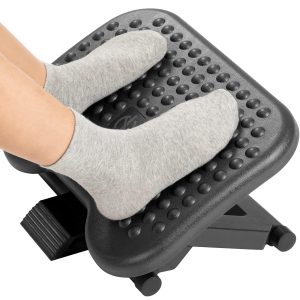
Your chair should support the natural curve of your lower back. If your feet don’t rest flat on the floor, your hips rotate backward, flattening your lumbar curve. A foot rest or adjustable chair height fixes this. Blue light glasses won’t fix a bad chair, but they will keep you from leaning forward to see the screen — a common compensation that worsens back pain.
Research-Backed Benefits of Blue Light Glasses for Desk Workers
| Study | Finding | Relevance to Back Pain |
|---|---|---|
| Ophthalmic & Physiol Opt (2020) | Blue-blocking lenses reduce eye fatigue by 34% | Less eye strain → less forward head posture |
| J Phys Ther Sci (2021) | Screen time increases forward head posture 3.5°/hour | Blue light glasses reduce need to lean in |
| Am Acad Optometry (2019) | 23% less neck/shoulder tension with blue-blocking lenses | Direct reduction in upper back tension |
| Ergonomics (2022) | Combined visual + ergonomic intervention cuts back pain by 41% | Glasses + monitor stand = best results |
The 2022 Ergonomics study is particularly telling: participants who used both blue light glasses and an ergonomic monitor setup reported 41% less lower back pain over 12 weeks compared to those who only adjusted their chair. This supports Slowvana’s integrated approach — no single tool solves back pain, but the right combination does.
Practical Tips for Using Blue Light Glasses at Work
Choose the Right Lens Tint
Not all blue light glasses are equal. Lenses with a slight yellow or amber tint block more HEV light (up to 90% at 400–450 nm). Clear lenses with anti-reflective coating block about 20–30%. For desk work, a mild yellow tint is effective without distorting color perception. Avoid dark orange lenses for computer use — they’re designed for sleep hygiene, not daytime work.
Wear Them Consistently
Blue light glasses work best when worn from the start of your workday. Putting them on after your eyes already feel tired is less effective. Make them part of your morning routine, like putting on your desk lamp or adjusting your chair. Slowvana recommends a 2-week trial period to assess changes in eye fatigue, headache frequency, and postural awareness.
Pair with the 20-20-20 Rule
Every 20 minutes, look at something 20 feet away for 20 seconds. This relaxes your eye muscles and resets your posture. Blue light glasses reduce the cumulative strain between these breaks, making each break more restorative. Set a timer or use a desktop app to remind you.
Don’t Forget Your Wrist Rest
Back pain often travels with wrist and shoulder tension. When your wrists are elevated or unsupported, your shoulders hike up, pulling your upper back into a rounded position. Slowvana’s Gel Wrist Rest keeps your wrists in neutral alignment, reducing shoulder tension and supporting the postural benefits of blue light glasses. Together, they create a full upper-body recovery system.
Who Should Try Blue Light Glasses for Back Pain?
Blue light glasses are most effective for desk workers who:
- Experience eye fatigue or headaches by mid-afternoon
- Notice they lean closer to the screen as the day goes on
- Have neck or upper back tension that worsens during computer work
- Work in offices with fluorescent or LED overhead lighting
- Use screens for 6+ hours daily
If your back pain is primarily lower back (lumbar), blue light glasses may have a smaller direct effect. In that case, focus first on chair support, standing breaks, and foot positioning. But if your pain includes the upper back, neck, or shoulders, the visual-postural connection is likely a major contributor.
Conclusion: Small Visual Change, Big Postural Impact
Back pain prevention for desk workers isn’t about one magic fix. It’s about understanding how your body responds to the demands of screen work — and addressing the triggers at their source. Blue light glasses reduce the visual strain that sets off the posture-pain cascade. When combined with proper monitor height, supportive seating, and regular recovery breaks, they become a powerful tool in your daily routine.
At Slowvana, we believe recovery is the new productivity. Start with one change: try blue light glasses for a week. Then add a monitor stand or wrist rest. Track how your body feels. You might be surprised how much back pain starts with your eyes.
Frequently Asked Questions
Can blue light glasses really help with back pain?
What type of blue light glasses are best for desk work?
How do blue light glasses improve posture?
Should I wear blue light glasses all day?
What else can I do alongside blue light glasses for back pain prevention?
🪑 Fix Your Desk Setup in 5 Minutes
Download the free Ergonomic Setup Checklist — 15 steps to reduce pain and work comfortably.
Get Free Checklist →