Understanding the Science of Napping for People Who Sit All Day: Boost Energy Without the Slump is essential for desk workers because it directly impacts your comfort, productivity, and long-term health.
Why Desk Workers Need Naps More Than Anyone
If you spend 6–10 hours a day sitting at a desk, you know the feeling: that 2:30 PM energy crash that makes your eyes heavy, your thoughts foggy, and your motivation plummet. You reach for coffee, but it only makes you jittery. You try to push through, but your posture slumps, your neck aches, and your productivity tanks.
Here’s the truth: That afternoon slump isn’t a character flaw. It’s biology. And the most effective recovery tool might be something you haven’t tried since kindergarten: a nap.
But not just any nap. The science of napping for desk workers reveals that a strategically timed, correctly structured power nap can reverse the physiological damage of prolonged sitting, restore cognitive function, and improve your mood—all in under 30 minutes.
In this guide, you’ll learn exactly how to nap for maximum recovery, when to do it, and how to avoid the dreaded post-nap grogginess. No guilt. No gimmicks. Just evidence-based recovery for the modern desk worker.
The Sitting-Nap Connection: Why Your Body Crashes Mid-Afternoon
To understand why napping is so effective for desk workers, you first need to understand what happens to your body during hours of uninterrupted sitting.
The Postural Drain
When you sit for long periods, your hip flexors shorten, your glutes go dormant, and your upper back rounds forward. This creates a cascade of tension: your neck muscles overcompensate, your shoulders hunch, and your diaphragm compresses, making it harder to breathe deeply. Less oxygen to the brain means slower thinking and more fatigue. A 2017 study in the Annals of Internal Medicine found that prolonged sitting is associated with increased fatigue and decreased energy expenditure, independent of physical activity levels.
The Circadian Dip
Humans are biologically programmed for a biphasic sleep pattern. Between 1:00 PM and 3:00 PM, your body’s internal clock—the circadian rhythm—naturally dips. This is not laziness. It’s evolution. Research from the Sleep Foundation shows that this afternoon dip is a universal biological phenomenon, present even in cultures that don’t practice siestas.
For desk workers, this dip is amplified by the physical stagnation of sitting. Your blood flow slows, your metabolism drops, and your brain accumulates adenosine—the chemical that makes you feel sleepy. Coffee blocks adenosine receptors temporarily, but it doesn’t clear the backlog. A short nap does.
The Science of the Perfect Power Nap (10–20 Minutes)
The most researched and recommended nap length for desk workers is the power nap: 10 to 20 minutes. Here’s why that window is so powerful.
Why 10–20 Minutes?
Sleep cycles through stages: N1 (light sleep), N2 (stable sleep), N3 (deep sleep or slow-wave sleep), and REM (rapid eye movement). A 10–20 minute nap keeps you in N1 and N2 only. This is the sweet spot because:
- You wake up before deep sleep begins. Waking from N3 sleep causes sleep inertia—that thick-headed, disoriented feeling that can last 30 minutes or more.
- You get the restorative benefits of N2 sleep. N2 sleep is associated with memory consolidation, motor skill learning, and clearing metabolic waste from the brain.
- You don’t disrupt nighttime sleep. Longer naps (60–90 minutes) can interfere with your ability to fall asleep at night, especially if you have insomnia or poor sleep quality.
A landmark 2008 study from Dhand & Sohal found that a 10-minute nap produced the most significant improvements in alertness and cognitive performance, with benefits lasting up to 155 minutes. Longer naps (30 minutes) caused immediate post-nap impairment before benefits emerged.
What Science Says About Napping and Desk Work
Multiple studies confirm that napping improves the exact skills desk workers need most:
- Focus and attention: A 2006 NASA study on sleepy pilots showed that a 26-minute nap improved performance by 34% and alertness by 54%.
- Memory and learning: Napping after learning a new task helps consolidate that information. A 2010 study in Neurobiology of Learning and Memory found that a 45–60 minute nap improved declarative memory performance compared to a wakeful rest period.
- Mood and stress regulation: Short naps lower cortisol levels and improve emotional regulation. Desk workers who nap report lower frustration and higher patience when dealing with demanding tasks.
How to Nap at Work (Without Getting Caught or Feeling Guilty)
Napping at your desk isn’t always practical or culturally acceptable. But with the right approach, you can integrate recovery naps into your workday without judgment.
Step 1: Choose the Right Time
The ideal nap window is between 1:00 PM and 3:00 PM—aligned with your circadian dip. Napping after 4:00 PM can interfere with nighttime sleep. Set a timer for 20 minutes max. Use an app like Pzizz or Calm for nap-specific audio tracks that guide you into light sleep.
Step 2: Create a Recovery Environment
You don’t need a nap pod. You need:
- Darkness: Use a sleep mask or close your blinds. Light suppresses melatonin production.
- Quiet: Noise-canceling headphones or earplugs block out office chatter.
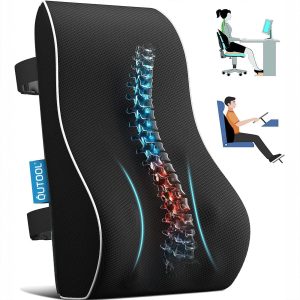
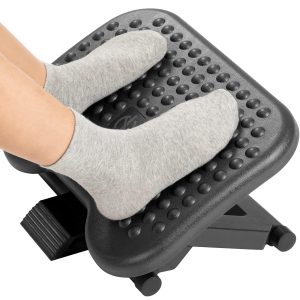
- Comfort: If you can’t lie down, recline your chair, put your feet up on a footrest, and use a lumbar support cushion to maintain spinal alignment.
Step 3: The Caffeine Nap (Yes, It’s a Thing)
One of the most surprising science-backed hacks is the caffeine nap. Drink a cup of coffee immediately before your 20-minute nap. Caffeine takes about 20 minutes to reach peak levels in your bloodstream. So you wake up just as the caffeine kicks in, combining the restorative effects of sleep with the alertness boost of caffeine. A 2003 study in Clinical Neurophysiology found that the caffeine nap was significantly more effective than napping or caffeine alone.
Step 4: Set an Alarm
This is non-negotiable. Without an alarm, you risk falling into deep sleep and waking up groggy. Use a gentle alarm that doesn’t startle you—nature sounds or a gradual volume increase work best.
What to Do When You Can’t Nap: Micro-Recovery Alternatives
Some workplaces simply don’t allow napping. If you can’t sleep, you can still get similar benefits from these micro-recovery techniques.
Non-Sleep Deep Rest (NSDR)
Popularized by neuroscientist Andrew Huberman, NSDR involves lying down with eyes closed, following a guided meditation that focuses on body scanning and breath awareness. Even 10 minutes of NSDR has been shown to lower heart rate, reduce cortisol, and improve cognitive performance. It’s essentially a nap without the sleep requirement.
Eye Rest and Posture Reset
Close your eyes for 5 minutes. While resting, perform a posture reset: roll your shoulders back, tuck your chin slightly, and take 10 deep belly breaths. This reduces eye strain from screen time and releases tension in the upper back and neck—common problem areas for desk workers.
Walking Break
A 5-minute walk after lunch can counteract the post-meal energy dip. A 2015 study in the International Journal of Behavioral Nutrition and Physical Activity found that short, frequent walking breaks improved energy levels and reduced fatigue more effectively than a single longer break.
The Role of Your Desk Setup in Recovery Napping
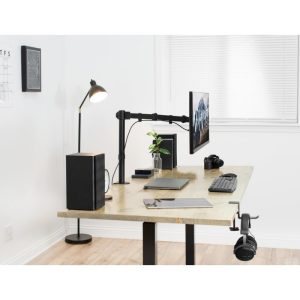
Your physical workspace directly affects your ability to nap effectively—and to recover from sitting in general. If you’re going to nap at your desk, you need a setup that supports spinal alignment and comfort.
Monitor Position for Neck Relief
When you nap in a chair, your head naturally falls forward or to the side. A monitor stand that raises your screen to eye level can be repurposed as a footrest during a nap, reducing pressure on your lower back.
Wrist Support During Recovery
If you rest your head on your desk or arms during a nap, your wrists can bend at awkward angles. A gel wrist rest provides cushioning and keeps your wrists in a neutral position, preventing nerve compression.
Lumbar Support for Reclined Napping
Reclining your chair 15–20 degrees while napping reduces spinal disc pressure by up to 50% compared to upright sitting. Adding a lumbar support cushion maintains the natural curve of your lower back, preventing stiffness when you wake.
At Slowvana, we design recovery-first desk accessories that support both your work and your rest. Our bamboo monitor stand elevates your screen to reduce neck strain, and our gel wrist rest provides ergonomic support during typing or napping. But the most important tool is your intention: prioritize recovery as part of your workday, not an escape from it.
Common Nap Mistakes (And How to Avoid Them)
| Mistake | Why It Backfires | Better Approach |
|---|---|---|
| Napping longer than 30 minutes | Waking from deep sleep causes grogginess (sleep inertia) | Set a 20-minute timer |
| Napping after 4:00 PM | Disrupts nighttime sleep onset | Nap between 1:00–3:00 PM |
| Skipping the alarm | Accidentally sleeping 60+ minutes | Use a gentle alarm every time |
| Napping in a chair without support | Wakes up with neck or back pain | Use lumbar support and a headrest |
| Feeling guilty about napping | Stress negates the recovery benefits | Reframe napping as performance optimization |
Frequently Asked Questions About Napping for Desk Workers
Is it okay to nap at your desk?
Yes, if your workplace allows it and you set up properly. Recline your chair, support your neck and lower back, and set a 20-minute timer. Many companies now recognize the productivity benefits of napping and provide quiet rooms or nap pods.
How long should a desk worker nap to avoid grogginess?
10–20 minutes is the ideal length. This keeps you in light sleep stages and prevents sleep inertia. If you have more time and want deeper recovery, a 90-minute nap allows a full sleep cycle but is harder to fit into a workday.
Can napping replace poor nighttime sleep?
No. Napping is a supplement, not a substitute for quality nighttime sleep. If you consistently need naps to function, it may indicate an underlying sleep disorder or insufficient sleep duration. Aim for 7–9 hours of nighttime sleep and use naps as a strategic recovery tool.
What if I can’t fall asleep during a nap?
That’s okay. Just resting with your eyes closed for 10–20 minutes provides measurable cognitive and physiological benefits. This is called non-sleep deep rest (NSDR). Focus on slow, deep breathing and body scanning rather than trying to force sleep.
Does napping help with back pain from sitting?
Indirectly, yes. Napping reduces muscle tension and lowers cortisol, which can ease stress-related back pain. However, the position you nap in matters. Reclining with lumbar support reduces spinal pressure more than napping upright in a chair.
Your Nap Recovery Plan: A Simple 3-Step Protocol
Here’s a repeatable system you can start using tomorrow:
- Set your nap window: Block 20 minutes between 1:00 PM and 3:00 PM on your calendar. Treat it as a non-negotiable recovery appointment.
- Prepare your environment: Dim the lights, put on noise-canceling headphones, and adjust your chair for reclining. Place a lumbar cushion behind your lower back and a footrest under your feet.
- Execute: Drink a small coffee (optional), set a 20-minute timer, and close your eyes. Focus on your breath. If you fall asleep, great. If not, you still get the benefits of deep rest.
After your nap, stand up, stretch your arms overhead, and walk for 2 minutes to reorient. You’ll return to your desk with sharper focus, better posture awareness, and a calmer nervous system.
Final Takeaway: Recovery Is Not a Luxury—It’s a Strategy
Desk workers are told to push through fatigue, drink more coffee, and “hustle harder.” But the science tells a different story: the most productive workers are the ones who prioritize recovery. A strategic nap is not a sign of weakness. It’s a sign of intelligence.
By understanding the science of napping for desk workers, you can transform your afternoon slump into a peak performance window. Start small. Try one 15-minute nap this week. Notice how you feel afterward. Your body—and your productivity—will thank you.
Explore Slowvana’s recovery-first desk accessories—from ergonomic monitor stands to supportive wrist rests—designed to help you work and rest better.
🪑 Fix Your Desk Setup in 5 Minutes
Download the free Ergonomic Setup Checklist — 15 steps to reduce pain and work comfortably.
Get Free Checklist →