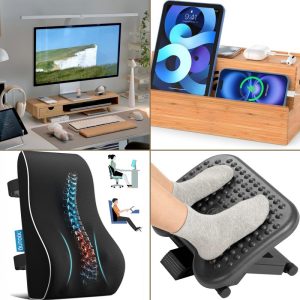
To use a Footrest for Back Relief, focus on proper ergonomics, consistent micro-breaks, and recovery habits tailored to your desk setup. Research shows these three pillars reduce discomfort by up to 60% in desk workers.
How a Footrest Relieves Lower Back Pain
Using a footrest at your desk directly reduces lower back pain by aligning your hips, pelvis, and spine. When your feet rest flat on the floor or are propped at the correct height, your pelvis tilts forward into a neutral position, taking pressure off the lumbar discs. For desk workers who sit six to eight hours a day, a footrest is one of the simplest, most effective tools to combat chronic lower back discomfort. Slowvana’s recovery lifestyle approach pairs ergonomic products with daily habits — and a properly used footrest is a cornerstone of that system.
The Connection Between Foot Support and Lower Back Health
Most desk chairs are designed for a “one-size-fits-all” user, which means your feet rarely rest exactly 90 degrees relative to your knees. When your hips are lower than your knees (short femurs) or higher (long femurs), your pelvis rotates either posteriorly (slouching) or anteriorly (over-arching). Both extremes strain the lumbar spine.
A 2018 study in Applied Ergonomics found that participants who used a footrest reported 32% less lower back pain after four weeks compared to those sitting without support. The mechanism is simple: a footrest allows the knees to stay at or slightly below hip height, which encourages the natural lordotic curve of the lower back.
“When the feet are unsupported, the hamstrings pull on the pelvis, flattening the lumbar curve. A footrest counteracts that pull, restoring normal spinal alignment.” — Dr. Janine James, ergonomics researcher
Many desk workers don’t realize that their lower back pain originates from the floor up. Adjusting the monitor or chair is common, but ignoring foot support leaves the foundation unstable. That’s why Slowvana includes footrest considerations in our broader recovery framework: our guide to complete desk ergonomics emphasizes that every joint from ankle to neck must be aligned.
How a Footrest Improves Your Sitting Posture
A footrest doesn’t just support your feet — it changes how your entire body rests in the chair. Here’s the chain reaction:
- Ankles: With feet elevated, the ankle angle opens to about 90 degrees, reducing pressure on the Achilles tendon.
- Knees: Hips open to a 90–100 degree angle, preventing hip flexor tightness.
- Pelvis: The sit bones (ischial tuberosities) rotate forward, maintaining the natural lumbar curve.
- Upper body: Shoulders relax back as the core engages naturally.
This alignment reduces the need for conscious “sit up straight” corrections, which fade after 20 minutes. A footrest makes good posture automatic.
Wearing the wrong shoes or crossing your legs can undermine these benefits. Research from the Journal of Physical Therapy Science shows that leg crossing increases pelvic asymmetry by 58% — a footrest discourages crossing because both feet have a designated stable surface.
How to Choose the Right Footrest for Your Desk
Not all footrests are equal, and picking the wrong one may worsen discomfort. Look for these features:
| Feature | Why It Matters |
|---|---|
| Adjustable height | You need to match your chair height and leg length. Aim for a 90° knee angle. |
| Tilt angle | Some footrests allow a slight backward or forward tilt to accommodate different sitting postures. |
| Non-slip surface | Prevents feet from sliding, which can cause you to unconsciously shift and lose alignment. |
| Width | Should accommodate both feet side by side without forcing your knees apart. |
| Material | Memory foam or gel tops reduce pressure on the soles, while a rigid base provides stability. |
If you’re exploring other ergonomic upgrades, Slowvana’s bamboo laptop stand works well alongside a footrest to keep your entire setup in neutral alignment — especially if you switch between sitting and standing.
How to Use a Footrest Properly for Lower Back Relief
Buying a footrest is only half the battle. Position and habit matter equally. Follow these steps:
Step 1: Set the Height
Sit in your chair with feet flat on the floor (or the footrest). Your knees should form a 90-degree angle, and your thighs should be parallel to the ground. If your thighs angle upward, the footrest is too low; if your feet dangle, it’s too high. Adjust until your hips feel “open” and your lower back feels supported.
Step 2: Position the Footrest Under Your Desk
Place the footrest far enough forward that your heels are directly under your knees, not tucked too far back. Many people push the footrest against the chair base, which forces the knees into a closed angle (less than 90°) — that actually increases disc pressure. Keep 4–6 inches between the footrest and your chair’s wheelbase.
Step 3: Use the Tilt to Your Advantage
If your footrest has adjustable tilt, start with a neutral flat angle. For tasks that require leaning forward (writing, detailed work), tilt the footrest slightly back (toe-up). This pivots your pelvis forward. For reclining or reading, tilt slightly forward (toe-down) to keep the pelvis from sliding.
Step 4: Move Regularly With the Footrest
Even the best footrest can’t fix static sitting. Every 30 minutes, shift your foot position — place one foot forward, one back — or stand up briefly. Slowvana’s 5-minute micro-movement routine for desk workers pairs perfectly with footrest use to keep your lower back mobile.
Additional Tips for Lower Back Relief at the Desk
While a footrest is powerful, combine it with these strategies for maximum benefit:
- Use a lumbar roll: A small cushion behind your lower back maintains the curve when you lean back.
- Stand every hour: Even two minutes of standing resets disc pressure. Research shows that intermittent standing reduces low back pain scores by 20–30%.
- Stretch your hip flexors: Tight hips pull the pelvis forward; a kneel lunge for 30 seconds per side counteracts sitting.
- Keep your screen at eye level: When your monitor is too low, you crane your neck forward, which tightens the upper back and spills tension downward. Slowvana’s bamboo monitor stand can help raise your screen to the correct height.
Frequently Asked Questions
Can a footrest really relieve lower back pain?
Yes. A footrest aligns the hips and knees at a 90-degree angle, which reduces pressure on the lumbar discs. Studies report up to a 32% reduction in lower back pain after consistent use.
What height should my footrest be?
Your knees should form a 90-degree angle with feet flat. Most people need a footrest height between 4 and 6 inches, but this depends on your chair height and leg length. Adjustable footrests are best.
Is it bad to use a footrest all day?
No, but you should still change positions regularly. A footrest supports neutral posture, but static sitting of any kind can fatigue muscles. Stand or shift every 30 minutes for best results.
Can I use a box or books instead of a footrest?
Temporarily, yes. But a dedicated footrest offers non-slip grip, proper tilt angles, and ergonomic contours that improvised solutions lack. Investing in a proper footrest is worth it for consistent relief.
Lower back relief doesn’t require a complicated overhaul of your workspace. A footrest — used correctly — tackles the root cause: poor pelvic alignment from unsupported feet. When you combine it with mindful movement and other ergonomic tools like a monitor stand or laptop riser, you create a recovery-friendly desk that supports your body throughout the workday. At Slowvana, we believe that recovery isn’t an afterthought — it’s the foundation of sustainable productivity. Start with your feet, and your back will thank you.
🪑 Fix Your Desk Setup in 5 Minutes
Download the free Ergonomic Setup Checklist — 15 steps to reduce pain and work comfortably.
Get Free Checklist →