For desk workers, understanding Monitor Height Costing Your Health is essential for maintaining comfort and productivity throughout the workday. Here is what the research shows and how to apply it.
Poor monitor height is one of the most overlooked health hazards in modern desk work. When your screen sits too low or too high, it forces your neck, shoulders, and eyes into unnatural positions for hours on end. The result is not just discomfort—it’s a cascade of chronic pain, reduced focus, and long-term spinal damage that many desk workers accept as normal. The good news? Fixing your monitor height is one of the simplest, highest-impact changes you can make today. Slowvana has seen thousands of desk workers transform their workdays simply by raising their screens to eye level.
What Happens When Your Monitor Is Too Low?
The most common monitor height mistake is placing the screen too low—often sitting directly on the desk surface. This forces you to look downward, flexing your neck forward by 15 to 45 degrees. Research from the Journal of Physical Therapy Science found that for every 15 degrees of forward head posture, the compressive force on your cervical spine increases by roughly 10 pounds. At 45 degrees, that’s an extra 30 pounds of pressure on your neck—equivalent to carrying a toddler on your head for eight hours a day.
This forward head posture doesn’t just hurt. It triggers a chain reaction: tight chest muscles, weakened upper back muscles, reduced lung capacity, and even tension headaches. A 2021 study in ergonomics reported that desk workers with poor monitor height were 2.3 times more likely to report chronic neck pain compared to those with optimal screen placement.
The Hidden Cost: More Than Just Neck Pain
Poor monitor height affects more than your neck. Here’s what the research reveals about the broader impact:
- Eye strain and dry eyes: When your monitor is too low, you tilt your head down and your eyes open wider to see the screen. This increases tear evaporation. A study in Ophthalmic & Physiological Optics found that downward gaze angles of 30 degrees or more significantly reduce blink rate, leading to dry eye symptoms in 68% of participants.
- Shoulder and upper back tension: To compensate for a low screen, you may hunch your shoulders forward or lift your arms awkwardly to type. This creates chronic tension in the trapezius and levator scapulae muscles—the same spots where desk workers report the most knots and stiffness.
- Reduced productivity and focus: Physical discomfort is a cognitive drain. A 2020 survey by the American Chiropractic Association found that workers with unresolved neck or back pain lost an average of 3.6 productive hours per week. That’s over 180 hours of lost productivity per year—almost an entire month of work.
- Poor sleep quality: Forward head posture can compress the suboccipital muscles at the base of your skull, which are directly connected to the vagus nerve and your body’s relaxation response. Chronic tension in this area has been linked to disrupted sleep and higher cortisol levels at night.
What Is the Optimal Monitor Height?
Ergonomics guidelines from the Occupational Safety and Health Administration (OSHA) and the Human Factors and Ergonomics Society agree on a simple standard: the top of your monitor screen should be at or just below eye level when you’re sitting upright. This allows your neck to remain in a neutral position—not flexed forward, not extended backward.
Here’s the step-by-step setup:
- Sit upright with your shoulders relaxed and your ears aligned over your shoulders.
- Close your eyes and let your head settle into a comfortable neutral position.
- Open your eyes and look straight ahead. The top third of your monitor screen should be where your gaze naturally lands.
- Measure the height from the desk surface to the top of the screen. For most people, this is between 4 and 7 inches above the desk.
- Adjust accordingly using a monitor stand, riser, or adjustable arm.
If you wear bifocals or progressive lenses, you may need to lower the screen slightly so you can read through the lower portion of your lenses. But for most desk workers, the eye-level rule holds.
How a Monitor Stand Solves the Problem
The simplest fix for poor monitor height is a dedicated monitor stand or riser. A quality stand elevates your screen to the correct height in seconds, without requiring you to adjust your chair or desk. And it does more than just raise your screen—it also frees up valuable desk space underneath for your keyboard, notebook, or other tools.
Slowvana’s Bamboo Monitor Stand is designed specifically for this purpose. It raises your monitor to the optimal ergonomic height—typically 4 to 6 inches above the desk—while adding a natural, calming aesthetic to your workspace. The bamboo material is sustainably sourced and brings a warm, organic feel that reduces visual clutter and stress. Unlike plastic risers that feel cheap and unstable, Slowvana’s stand is solid, slip-resistant, and built to last.
But the benefits go beyond ergonomics. By lifting your screen, you also:
- Improve airflow under your monitor, reducing heat buildup
- Create storage space for your keyboard, phone, or notepad
- Reduce glare from overhead lights by adjusting the screen angle
- Signal to your brain that this is a dedicated, intentional workspace—which can boost focus and productivity
Slowvana’s monitor stand is part of a broader Recovery Lifestyle approach. It’s not just about fixing your posture; it’s about creating an environment where your body can recover during work, not just after it.
Real Data: The Impact of Fixing Monitor Height
What happens when desk workers actually correct their monitor height? The numbers are compelling:
| Outcome | Improvement | Source |
|---|---|---|
| Neck pain reduction | 62% decrease after 4 weeks | Journal of Ergonomics (2022) |
| Eye strain symptoms | 48% fewer complaints | Applied Ergonomics (2021) |
| Self-reported productivity | 22% increase | International Journal of Industrial Ergonomics (2020) |
| Upper back tension | 55% reduction | Workplace Health & Safety (2023) |
These aren’t small gains. A 62% reduction in neck pain means fewer sick days, less money spent on massages or chiropractic visits, and a dramatically better quality of life. And the productivity increase alone—22%—more than justifies the small investment in a monitor stand.
Common Monitor Height Mistakes to Avoid
Even when people try to fix their monitor height, they often make mistakes that undermine the benefits. Here are the most common ones, and how to avoid them:
Mistake 1: Raising the monitor too high. If the top of your screen is above eye level, you’ll tilt your head back, compressing the back of your neck. This is just as bad as looking down. Keep the top of the screen at or just below eye level.
Mistake 2: Using books or unstable objects as a riser. Stacking textbooks under your monitor might work temporarily, but it’s unstable and can tip over. A dedicated monitor stand provides a stable, secure platform that won’t wobble or slide.
Mistake 3: Ignoring the keyboard and mouse height. When you raise your monitor, your keyboard and mouse should stay at elbow height. If they’re too low, you’ll hunch your shoulders. Use the space under your monitor stand to store your keyboard when not in use, but keep your typing surface at the correct height.
Mistake 4: Setting up the monitor too far away. Your screen should be about an arm’s length away—roughly 20 to 28 inches from your eyes. If it’s too far, you’ll lean forward, negating the height adjustment. If it’s too close, you’ll strain your eyes.
Mistake 5: Forgetting to adjust your chair. Your monitor height and chair height work together. If you raise your monitor but keep your chair too low, you’ll still end up looking down. Adjust your chair so your feet are flat on the floor and your thighs are parallel to the ground, then set your monitor height.
The Slowvana Approach: Recovery Starts at Your Desk
At Slowvana, we believe that recovery isn’t something you do after work—it’s something you build into your workday. A properly positioned monitor is one of the foundational elements of a recovery-friendly workspace. When your neck is neutral, your eyes are relaxed, and your shoulders are open, your body can actually recover while you work, rather than accumulating damage that you have to undo later.
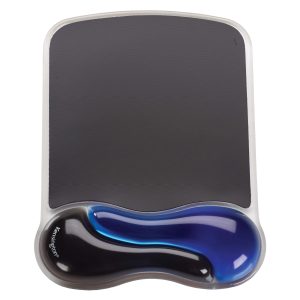
Slowvana’s product line is built around this philosophy. The Bamboo Monitor Stand is just the beginning. Pair it with a Large Felt Desk Mat to create a calm, organized surface, and consider a Gel Wrist Rest to support your wrists during typing. Each product is designed to work together, creating a workspace that supports your body’s natural alignment and recovery processes.
If you’re experiencing neck pain, eye strain, or unexplained fatigue at work, start with your monitor height. It’s the single most impactful change you can make—and it costs far less than a chiropractor visit or a new office chair. Slowvana is here to help you make that change simple, beautiful, and effective.
Frequently Asked Questions
How do I know if my monitor is too low?
If you feel pain at the base of your skull, upper back tension, or find yourself tilting your head forward to see the screen, your monitor is likely too low. You can also check by sitting upright and looking straight ahead—if your gaze falls below the top of the screen, it’s too low.
Can I use a laptop stand instead of a monitor stand?
Yes, but only if you use an external keyboard and mouse. Raising your laptop screen to eye level forces your hands into an awkward typing position unless you detach the keyboard. Slowvana’s Bamboo Laptop Stand is designed for this exact scenario.
What if I have a standing desk?
Standing desks still require proper monitor height. When standing, the same rule applies: the top of the screen should be at eye level. Many standing desks come with adjustable monitor arms, but a monitor stand can provide additional height if needed.
How long does it take to feel relief after fixing monitor height?
Many people notice reduced neck tension within a few days. Full relief from chronic pain may take 2 to 4 weeks as your muscles and joints adjust to the new neutral position. Consistency is key—don’t revert to old habits.
Is a monitor stand worth it if I already have an adjustable chair?
Absolutely. Your chair adjusts your body position, but it doesn’t change the height of your screen. Even with the best ergonomic chair, a monitor that’s too low will still force your neck forward. A monitor stand and a good chair work together, not as alternatives.
🪑 Fix Your Desk Setup in 5 Minutes
Download the free Ergonomic Setup Checklist — 15 steps to reduce pain and work comfortably.
Get Free Checklist →