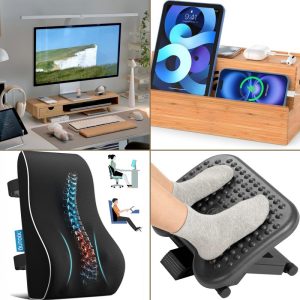
The link between Screen Height & Back Pain and The Fix directly affects desk worker health. Understanding this relationship helps you address the root cause rather than just treating symptoms.
Why Your Screen Height Is the Hidden Cause of Back Pain
If your screen is too low, your spine pays the price. Research shows that for every inch your head tilts forward, the load on your cervical spine increases by roughly 10 pounds. Over an eight-hour workday, that adds up to thousands of pounds of unnecessary strain on your neck and upper back.
The fix isn’t complicated, but most desk workers get it wrong. Here’s how to audit your screen height and eliminate the root cause of your back pain — starting today.
The Biomechanics: How Screen Height Directly Affects Your Spine
Your head weighs about 10 to 12 pounds in a neutral position. When you look straight ahead with your ears aligned over your shoulders, your cervical spine supports that weight efficiently. But the moment you tilt your head down to look at a low screen, the effective load multiplies exponentially.
- 15-degree forward tilt — Load increases to ~27 pounds
- 30-degree forward tilt — Load reaches ~40 pounds
- 45-degree forward tilt (common when working on a laptop without a stand) — Load exceeds 60 pounds
This isn’t just discomfort. Chronic forward head posture can lead to muscle fatigue, tension headaches, and even early degenerative changes in the spine. A 2020 study in the Journal of Physical Therapy Science found that participants with forward head posture had significantly reduced cervical range of motion and increased reports of upper back pain. The primary culprit? Screen position.
Slowvana’s ergonomic philosophy starts with the idea that recovery begins during work — not after. By correcting screen height, you’re not just preventing pain; you’re actively allowing your muscles and joints to stay in a recovery-friendly position throughout the day.
The 5-Step Screen Height Audit
Grab a ruler, a stack of books, or your Slowvana monitor stand. Here’s a quick, repeatable audit you can do right now.
Step 1: Sit in Your Natural Working Posture
Start by sitting as you normally would at your desk. Don’t overcorrect. Let your shoulders relax, your feet flat on the floor, and your knees at roughly a 90-degree angle. This is your baseline. If your chair doesn’t support this, adjust it first before moving on.
Step 2: Close Your Eyes and Relax Your Neck
Close your eyes for a few seconds, then gently nod your head up and down. Find the spot where your head feels most balanced — not tilted up, not tilted down. Open your eyes. Where are you looking? That’s your neutral eye level. Ideally, your screen’s top bezel (or the upper third of the screen) should be at this height.
Step 3: Measure the Gap
With your head in neutral, look at your screen. Is the center of the display below your eye level? If you’re on a laptop, the screen is almost certainly too low. Measure the vertical distance between your neutral gaze and the center of your screen. Anything more than 2 inches is a red flag.
Step 4: Adjust Your Screen Height
If your screen is too low, raise it. A monitor arm, a riser, or a stack of sturdy books all work. The goal: the top of the screen should be at or slightly below eye level. For dual monitors, position the primary screen directly in front of you and the secondary at an angle. If you use a laptop as your primary device, a Slowvana Bamboo Laptop Stand elevates it to the correct height while keeping your keyboard accessible.
Step 5: Check Your Distance
Screen height isn’t the only variable. Distance matters, too. Your screen should be about an arm’s length away — roughly 20 to 28 inches from your eyes. If you’re leaning forward to read text, increase the font size or move the screen closer. Leaning forward negates any height correction you’ve made.
Common Mistakes That Sabotage Your Setup
Even with good intentions, many desk workers make these errors:
- Raising the screen but not the keyboard. If you elevate your monitor but keep your keyboard on the desk, you’ll end up typing with your shoulders hunched. Use a separate keyboard and mouse so your arms stay at a 90-degree angle.
- Ignoring your chair height. If your chair is too low, you’ll naturally tilt your head down to meet the screen. Adjust your chair so your thighs are parallel to the floor and your feet rest flat.
- Using a laptop without a stand. Laptops are designed for portability, not ergonomics. Without a stand, the screen is always too low. A Slowvana Bamboo Laptop Stand solves this instantly.
- Forgetting to take breaks. Even with perfect screen height, static posture is harmful. Use the 20-20-20 rule: every 20 minutes, look at something 20 feet away for 20 seconds.
Frequently Asked Questions
What is the ideal screen height for preventing back pain?
How does screen height cause forward head posture?
Can a laptop stand fix my back pain?
What is the best monitor distance for ergonomics?
Conclusion: Start Your Recovery Today
Screen height is not a minor detail — it’s the foundation of your desk ergonomics. By completing this 5-step audit, you can eliminate the root cause of back pain and create a workspace that supports recovery, not strain.
Slowvana’s Recovery Lifestyle philosophy reminds us: recovery begins during work, not after. Invest in your setup today, and your spine will thank you tomorrow.
Last updated: October 2023
🪑 Fix Your Desk Setup in 5 Minutes
Download the free Ergonomic Setup Checklist — 15 steps to reduce pain and work comfortably.
Get Free Checklist →