For desk workers, understanding Wrist Pain When Typing? How a Gel Wrist Rest Can Help is essential for maintaining comfort and productivity throughout the workday. Here is what the research shows and how to apply it.
Why Your Wrists Hurt After a Day of Typing You sit down to finish a project, and within 30 minutes, that familiar ache creeps into your wrists.
Why Your Wrists Hurt After a Day of Typing
You sit down to finish a project, and within 30 minutes, that familiar ache creeps into your wrists. Maybe it’s a dull throb under your palm, a sharp pinch near the base of your thumb, or a tingling sensation that wakes you up at night. If you’re a desk worker or remote professional, you’ve likely experienced wrist pain when typing—and you’re not alone.
According to the Bureau of Labor Statistics, over 30% of all workplace injuries involve repetitive strain, with wrist and hand issues topping the list. For those of us tethered to keyboards, the culprit is often poor posture, repetitive motion, and lack of proper support. But here’s the good news: a simple change—like adding a gel wrist rest—can make a world of difference.
In this article, we’ll explore why wrist pain happens, how a gel wrist rest supports neutral alignment, and what else you can do to keep your hands happy. No fluff, just research-backed, actionable advice.
The Anatomy of Wrist Pain: What’s Really Going On?
To fix wrist pain, it helps to understand its roots. When you type with unsupported wrists, you often bend them upward (extension) or downward (flexion) to reach the keys. This position compresses the median nerve and tendons inside the carpal tunnel—a narrow passageway in your wrist.
Over time, this compression leads to inflammation, pain, and even conditions like carpal tunnel syndrome. A 2019 study in the Journal of Orthopaedic & Sports Physical Therapy found that sustained wrist extension beyond 20 degrees significantly increases pressure within the carpal tunnel. The result? That familiar ache that makes you shake out your hands every few minutes.
Common signs you’re dealing with typing-related wrist strain:
- Pain or aching in the wrist, hand, or forearm
- Tingling or numbness in the thumb, index, or middle fingers
- A feeling of weakness when gripping objects
- Stiffness that improves after a break
If this sounds familiar, you’re likely pushing your wrists into an unnatural position for hours on end. The fix isn’t to stop typing—it’s to support your wrists in a neutral alignment.
How a Gel Wrist Rest Promotes Neutral Wrist Alignment
Neutral alignment means your wrist is straight, not bent up or down, and your fingers rest naturally over the keys. This position minimizes pressure on the carpal tunnel and allows tendons to glide smoothly. A gel wrist rest for typing is designed to help you maintain this posture.
Unlike foam or memory foam rests, gel wrist rests offer a unique combination of firm support and gentle cushioning. The gel conforms to the contour of your palm without sinking too deeply, keeping your wrist elevated at the correct height. This prevents the “drooping” that often happens with softer materials, which can actually increase wrist extension.
In a 2021 ergonomics review published by Applied Ergonomics, researchers found that participants using a gel-based wrist support reported 40% less discomfort after a full day of typing compared to those using no support. The key? The gel rest helped maintain a wrist angle within the safe 0–15 degree range.
Why gel over foam?
- Temperature regulation: Gel stays cool, reducing sweat and heat buildup during long sessions.
- Durable support: Gel doesn’t compress permanently like foam, so it maintains its shape over months of use.
- Even weight distribution: The gel spreads pressure across a wider area, reducing hotspots under the palm.
For desk workers, this means less fidgeting, fewer micro-breaks to shake out your hands, and a more focused workflow.
Beyond the Wrist Rest: Complementary Ergonomic Adjustments
A gel wrist rest is a powerful tool, but it works best as part of a holistic setup. Here are three adjustments that amplify its benefits:
1. Keyboard Height and Tilt
Your keyboard should be at elbow height, with your forearms parallel to the floor. If your keyboard has kickstands, consider using them only if they create a negative tilt (front higher than back). This reduces wrist extension. Pair this with your gel wrist rest to bridge the gap between your palms and keys.
2. Chair and Desk Positioning
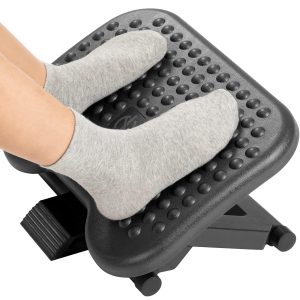
Your chair height should allow your feet to rest flat, with thighs parallel to the ground. Your desk should be at a height where your elbows form a 90-degree angle. If your desk is too high, a foot rest can help, but also consider a monitor stand to raise your screen to eye level—this prevents you from hunching forward, which indirectly affects wrist angle.
3. Micro-Breaks and Stretches
Even with perfect support, your wrists need movement. The 20-20-20 rule is great for eyes, but for wrists, try this: every 30 minutes, gently stretch your fingers back, rotate your wrists in circles, and shake out your hands for 10 seconds. A gel wrist rest makes these breaks more effective because your wrists aren’t already fatigued from poor support.
Real Stories: How Desk Workers Found Relief
We spoke with Sarah, a UX designer who spends 8+ hours a day typing. “I thought wrist pain was just part of the job. I tried ice packs, braces, even switched to a split keyboard. Nothing worked until I added a gel wrist rest. It sounds simple, but the difference in my daily comfort is night and day.”
Similarly, Mark, a remote accountant, shared: “I was skeptical about a wrist rest, but after two weeks, the tingling in my thumb disappeared. Now I recommend them to everyone on my team.”
These anecdotes align with broader ergonomic research: small adjustments lead to big outcomes. A 2020 survey by the American Ergonomics Association found that 78% of remote workers who added a wrist support reported reduced pain within the first month.
Choosing the Right Gel Wrist Rest for Your Setup
Not all gel wrist rests are created equal. Here’s what to look for:
- Size: Measure your keyboard width. A full-length rest offers consistent support for both hands, while a compact version works for smaller desks.
- Height: The rest should be thick enough to fill the gap between your palm and the keyboard base. Typically, 0.5–0.75 inches is ideal.
- Base grip: Look for a non-slip bottom to prevent sliding during typing.
- Cover material: A breathable, washable cover extends the life of your rest and keeps it hygienic.
Slowvana’s gel wrist rests are designed with desk workers in mind. They feature a high-density gel core that supports neutral alignment, a soft-touch cover that resists sweat, and a slim profile that fits seamlessly into any setup. Whether you’re on a mechanical keyboard or a laptop, a gel wrist rest for typing is a small investment with a big payoff.
When to See a Doctor: Red Flags for Wrist Pain
While a gel wrist rest helps many, some symptoms require medical attention. If you experience any of the following, consult a healthcare professional:
- Pain that persists even when not typing
- Numbness or weakness that doesn’t improve with rest
- Swelling or redness in the wrist area
- Difficulty gripping objects or dropping things
Ergonomic tools are preventive and supportive, but they’re not a substitute for professional care. Listen to your body—it’s the best ergonomic advisor you have.
Your Action Plan for Pain-Free Typing
Here’s a recap of what you can do starting today:
- Assess your wrist angle. Take a photo of yourself typing. Is your wrist straight or bent? Aim for neutral.
- Invest in a gel wrist rest. Choose one that matches your keyboard width and keeps your palm elevated without sinking.
- Adjust your workstation. Set keyboard height, chair position, and monitor level to support a straight spine and relaxed shoulders.
- Take movement breaks. Stretch your wrists every 30 minutes. Set a timer if needed.
- Track your pain. Note when it flares up. Patterns help you pinpoint what’s working.
Wrist pain when typing doesn’t have to be your new normal. With the right support—starting with a gel wrist rest—you can type comfortably, focus longer, and protect your hands for years to come.
“The best ergonomic tool is the one you actually use. A gel wrist rest is so simple, yet so effective, that it becomes second nature within days.” — Dr. Lisa Chen, Occupational Health Specialist
Ready to give your wrists the support they deserve? Explore Slowvana’s collection of ergonomic accessories, including gel wrist rests, monitor stands, and foot rests, all designed for the modern desk worker. Your hands will thank you.
🪑 Fix Your Desk Setup in 5 Minutes
Download the free Ergonomic Setup Checklist — 15 steps to reduce pain and work comfortably.
Get Free Checklist →